• Skip to primary navigation
  • Skip to main content
  • Skip to primary sidebar
  • Skip to footer

Samsung Galaxy S5 Guide

  • Home
    • About
    • Newsletter
    • Privacy
    • Contact
  • User Manual
    • Samsung Galaxy S5 Android Lollipop User Guide (PDF)
    • Samsung Galaxy S5 user manual (KitKat)
  • How-To Guides
    • How to take screenshot on Samsung Galaxy S5 without using any apps?
    • How to access the developer options on Samsung Galaxy S5?
    • How to access the hardware menu button?
    • Meaning of the notification icons on Samsung Galaxy S5
    • How to use kids mode?
    • How to customize Galaxy S5 ringtones and notification tones?
    • How to use Galaxy S5 Samsung keyboard?
    • How to change Galaxy S5 language?
    • How to turn off My Magazine on Galaxy S5?
    • How to turn on (or off) SMS and MMS message preview on Galaxy S5?
    • How to use Galaxy S5 toolbox
    • How to use Galaxy S5 safety assistance?
    • How to use Galaxy S5 Selective Focus
    • How to silence Galaxy S5?
    • How to use Galaxy S5 finger scanner?
    • How to boot Galaxy S5 into safe mode?
    • How to use Galaxy S5 safe mode to exit kids mode?
    • How to use Galaxy S5 screen mirroring?
    • How to get additional Galaxy S5 camera modes (animated photo, sports shot, sound and shot, sequence shot, and surround shot)
    • Galaxy S5 battery guide
    • How to access and use Galaxy S5 notification panel?
    • How to access and use Galaxy S5 quick settings panel?
    • How to customize Galaxy S5 camera shortcuts menu?
    • How to add widgets to Galaxy S5 home screen?
    • How to use Galaxy S5 camera to take photos continuously without reviewing photos taken in Gallery app?
    • How to disable app notifications on Galaxy S5?
    • How to use app folders in Galaxy S5 home screen?
    • How to manage Galaxy S5 home screen panels?
    • How to use Galaxy S5 camera voice control?
    • How to use Galaxy S5 camera effects?
    • How to set Galaxy S5 photo size and video size?
    • How to save photos to SD card on Galaxy S5?
    • How to use volume button to take photos in Galaxy S5?
    • How to enter Galaxy S5 recovery mode?
  • S5 features
    • Galaxy S5 Fast Auto Focus
    • Galaxy S5 HDR (Rich tone)
    • Galaxy S5 Selective Focus
    • Galaxy S5 Ultra Power Saving Mode
    • Galaxy S5 Download Booster
    • Galaxy S5 Finger Scanner
    • Galaxy S5 Dust and Water Resistant
    • Galaxy S5 Heart Rate Monitor
    • Galaxy S5 New S Health App
    • Galaxy S5 Kids Mode
  • Accessories Guide
    • Galaxy S5 case guide
    • Galaxy S5 Battery Guide

Galaxy S5 rumors

From square to round: UI changes in Galaxy S5

By simon 2 Comments

galaxy-s5-ui-change

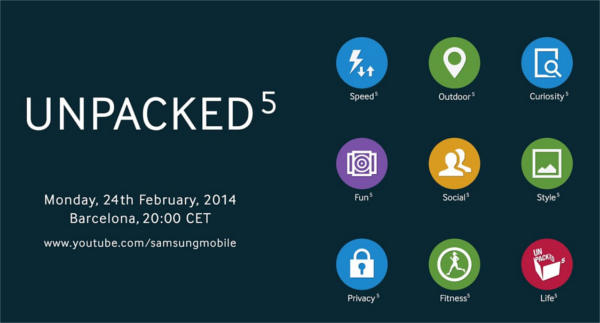
Following the teaser of the galaxy S5 launch date, Samsung now teases us with a new picture related to the unpacked event.

This time, one prominent element in the teaser is the round shape of app icons.

Of course, this does not just mean shape changes in icons of apps: from square to round.

It probably hints some radical changes in TouchWiz, which is widely criticized as a Gingerbread-age Android UI.

Actually, there are no major changes in TouchWiz in last 3-4 years.

In January, when Samsung revealed the giant tablets (Galaxy Note Pro and Galaxy Tab Pro) , we noticed the new user interface for TouchWiz. But the controversial Magazine style UI is obviously not suitable for a 5″ device.

The old-fashioned, bloated and bloodily-slow TouchWiz really needs  a revamp.

The purported image confirms:

  • This is a Galaxy S5 event. This is unarguable. No Tizen devices yet. This is not a Galaxy S5 rumor.
  • Very likely, Samsung will launch more than one Galaxy S5. A few variants of Galxy S5 will be revealed as well. Some rumors suggest there are premium and standard versions  at least. Maybe there will be 3 variants of Galaxy S5 to be launched.
  • A new UI with refreshed TouchWiz. But how new? At least it is more than a simple icon shape change. My guess is a more or less an evolutionary revision. Don’t expect too much.
  • Don’t expect so many fancy (and useless) new features as in Galaxy S4. Samsung started to correct the errors in Galxy S4 when launching Galaxy Note 3. Instead of introducing so many useless or half-baked features, Samsung now is trying to polish existing Samsung-specific features and introduce a few new and impressive features.

What actually are the changes in Galaxy S5 UI? We will only know them on February 24.

Anyway, the Galaxy S5 launch will determine the destiny of Samsung in mobile market.… Read the rest

Filed Under: Galaxy S5 rumors Tagged With: galaxy s5, galaxy s5 ui, touchwiz

Samsung Galaxy S5 launch date: February 24

By simon 4 Comments

samsung_galaxy_s5_launch_date_february_24

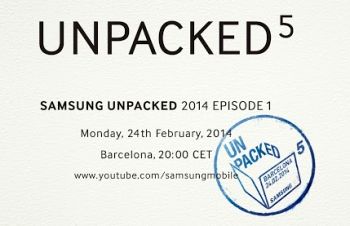
Samsung just announced that they will host an “Unpacked 5” event at Mobile World Congress on 24th February.

Surely, this is an event for Samsung Galaxy S5. Galaxy S5 launch date will be February 24, 2014.

This is not another  Galaxy S5 rumor.
Now Samsung reveals the Galaxy S5 launch date. The next question is when the  handset will be available.

If we check the release history of Samsung Galaxy S, S2, S3 and S4, it is not difficult to estimate Galaxy S5 will be released in late March to early April (4-6 weeks after the Galaxy S5 launch date).

Due to the lackluster sales of Galaxy S4, it is understandable that Samsung desperately wants to release Galaxy S5 as early as possible. Naturally, this Galaxy S5 launch date is a bit earlier than that of Galaxy S4.

Although Samsung is the No.1 Android  phone manufacturer, and they can easily maintain this position in next one or two years, the margin for error becomes less and less thanks for the competition from Apple, LG, Motorola (now owned by Lenovo, which has very deep marking pocket), HTC, Sony, and maybe even Nokia.

Samsung climbed to the top position through Galaxy S2 and S3. Galaxy S4 is more or less a failure.  Galaxy S4 packed so many half-baked features. Some users try to disable some of them once they get the handset. Galaxy Note 3 made some corrections on this.

The Galaxy Note  Pro and Galaxy Tab Pro introduced a new Magazine UI.  As both of them will be  available after February 13, we have no chance to test it for real usage.

So, Galaxy S5 very likely continue the correction by releasing a few prominent, not just bling-bling, features. The UI will very likely follow Galaxy note 3, not Galaxy Note Pro.

The Galaxy S5 launch date is critical for Samsung.  After this launching event, we will have a clear picture whether Samsung starts to go downwards or upwards.

So, book your calendar for February 24, Galaxy S5 launch date.

As  usual, the event will be live-streamed through YouTube.… Read the rest

Filed Under: Galaxy S5 rumors Tagged With: galaxy s5, galaxy s5 launch date, rumor

Galaxy S5 Rumors

By simon 4 Comments

galaxy s5 rumorsSamsung Galaxy S5 probably will be one of the most exciting, or the most disappointed, smartphones in 2014.  We will know it once it is released.

But for now, let the rumor mills run.  I will share with you some Galaxy S5 rumors. Please read it as entertainment, not a technical report.

Anyway, you should already know this post is about Galaxy S5 rumors, not technical review of galaxy S5. Just to confirm.

What is the Galaxy S5 release date? When will the release date be announced?

Just for laypersons. Release date means you can buy the product on that day. The product usually is  announced or launched (it is usually demoed  as well in the event) before the release date. For Samsung, most flagship smartphones and tables are released once month after they are announced.

Just for comparison, Samsung’s best buddy, Apple,  usually release new products one week after the announcement.

This one month, or one week, usually is calculated by some marketing genesis. If it is too long, people already forget the announcement. If it is too short, the message or the goodies,  has not been spread like virus.

Apple fanboies are generally loyal to their lord and spread the message very fast, so Apple usually  chooses one to two weeks between release date and the launching date.  Samsung does not have such loyal fans, so their marketing guys need time to spam the world for the announcement. This surely take longer.

Come back to the Galaxy S5 rumor, Samsung very likely release Galaxy S5 in Q1 2014, slightly earlier than the release date of Galaxy S4 in 2013.  Samsung executives may want to release Galaxy S5 early, but product development cycle may stop it.

The sales of Galaxy S4 is not as good as expected. But  don’t get it wrong. Samsung still plans to sell over 100 million Galaxy S4. In some regions, Galaxy S4 was just released.  If Galaxy S4 has not released in your region (yes, there are still a few such regions!), just wait for Galaxy S5 because S4 will never be released there.

Samsung will surely have a big and exclusive event for Galaxy S5. So do not expect that Galaxy S5 will be announced during the major events in January to March 2014 , e.g., MWC2014. Such events are for small players. Have Apple announced any products in such vents in last 7 years? Samsung now thinks themselves as an Android apple.

So, when? Probably even Samsung’s top earners do not know the exact date yet.   Samsung enjoys the rumor. Rumor may help them  decide when to stop the Galaxy S5 rumors.

Updated: Samsung almost confirmed the Galaxy S5 launch date is February 24 

Will Galaxy S5 be plastic or metal? Definitely not wood (as Moto X)!

There is no secret that Samsung loves plastics. They are expert of plastics. They can make plastics like leather (in Galaxy Note 3).

The two most common excuses to avoid other materials are:  plastic … Read the rest

Filed Under: Galaxy S5 rumors Tagged With: galaxy s5, rumor

Will Galaxy S5 use curved screen (flexible display)?

By simon 1 Comment

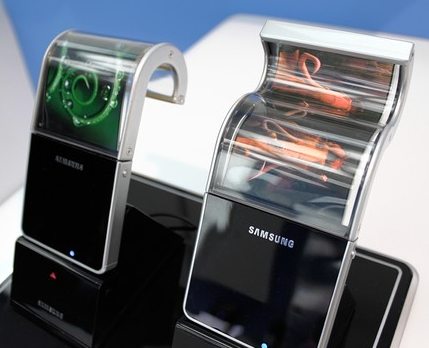
samsung-flexible-displayAs the releasing date for Galaxy S5 is closing, more and more rumors are circulating around. Just like any other hi-tech products, some rumors are proven to be correct eventually, because technology is predictable.

For such rumors, you my check our live post on latest Galaxy S5 rumors.

One of the most  important aspects of today’s smartphone is the display.  A vivid screen is essential for the success of flagship smartphones.

Samsung does have an edge over other smartphone manufacturers on the smartphone screen, due to its dominance in OLED  technology.  Although there are some critics on OLED display on its over-saturated colors (i.e., unnatural), most consumers still enjoy the vivid color it provides.  Samsung has never been shy on putting OLED panels on almost all flagship smartphones.

So, there is almost no question that Galaxy S5 will use OLED panel. The size will be around 5-5.25″. The resolution will surely be at full HD or even QHD (2560*1440)

The question that bugs many geeks is whether Samsung will use curved display for Galaxy S5.

Is flexible display for smartphone new?

Flexible display is not new. But using it on smartphones is just starting.

Samsung claimed the title of the first smartphone with a curved screen (flexible display) in early October. However, Galaxy Round is available in very limited regions. And it is not well-polished.

For Samsung, claiming the title is more important than fine tuning the product.  LG G Flex probably is better tuned with the curved screen.

Now Samsung has time to catch-up in using flexible display on smartphones.  Samsung is good at following, not at leading. Galaxy Round is an example; Galaxy Gear is another example.

Although Samsung has the technology, and may have the yielding capacity in the factory as well, but very unlikely Samsung will use flexible display in Galaxy S5 for following 3 reasons.

1. Samsung still does’t know how to re-invent smartphone with a curved screen

Changing from flat screen to a curved screen is not an incremental iteration. To benefit from the flexible display, re-invention of smartphone is needed.  Otherwise, most users will not see the need for such a crived screen.

Galaxy Round is just one experiment for Samsung to test curved screens.  It is a Galaxy Note 3 without S Pen. It is an enlarged Galaxy S4 with curved display. Essentially, Samsung has no idea how the flexible display should be used.

LG G Flex uses the curved screen to address the durability issues (with the help of the flexible back cover). But it apparently distorts the content noticeably.

So, Samsung will continue to experiment flexible display on more sizes.  But they will use it on mainstream products only when someone else comes out with a revolutionary idea.

2. There is not enough competitive pressure on taking the risk

Samsung is now unarguably the king of Android phone. They are comfortably enjoying the success of Galaxy S series.

There are many critics on Samsung’s lack of innovation.  … Read the rest

Filed Under: Galaxy S5 rumors Tagged With: curved screen, flexible display, galaxy round, galaxy s5, LG, LG G Flex, rumor

Primary Sidebar

RSS Galaxy S25 Guides

  • All New Features of One UI 8 (Android 16) Update for Galaxy S25, S24, S23, and S22
  • One UI 8 Update Highlights for Galaxy S25, S24, S23, and S22
  • How to manage camera modes on Galaxy S25 (and Galaxy S24, S23, S22, and S21 with One UI 7 update)?
  • How to Use Galaxy S25 Camera App?
  • A Definite Guide to Galaxy S25 Flipsuit Case
  • How to Access and Customize Now Brief on Galaxy S25?
  • Meaning of Galaxy S25 Status Icons and Notification Icons
  • Layout of Galaxy S25, S25+, and S25 Ultra
  • New Galaxy AI features in Galaxy S25, S25+, and S25 Ultra
  • Top 10 new features of Galaxy S25, S25+, and S25 Ultra

RSS Android Guides

  • A Complete Guide to Android ADB Wireless Debugging
  • Android 16: the definitive guide on new features and changes
  • Master Android 15 Easter Egg Game: Landroid
  • New Features and Improvements of Android 15
  • Top 14 new features of Android 14
  • Top 10 New Features of Android 13
  • Extra Dim in Android 12: The Definite Guide
  • How to update to Android 12?

RSS Galaxy S24 Guides

  • The definitive guide to One UI 7 (Android 15) update for Galaxy S24, S23, S22, and S21
  • The Definitive Guide to Galaxy AI on Galaxy S24, S23, S22, Fold 6, Fold 5, Flip 6, and Flip 5
  • Use the Light Performance Profile to Extend Battery Life and Reduce Heat on Galaxy S24, S23, S22, and S21 (all Samsung Galaxy Phones with Android 14/One UI 6.0)
  • How to adjust lock screen timeout on Galaxy S24, S23, S22, and other Galaxy devices?
  • How to use Circle to Search on Galaxy S24?

RSS Galaxy S23 Guides

  • Explanation of all One UI 6.1 features for Galaxy S23, S23+, S23 Ultra, and other Galaxy devices
  • How to use One-Tap Editing in the Android 14 (One UI 6) update?
  • How to enable and use Auto Scan to scan documents automatically on Galaxy S23, S22, and S21?
  • New camera features in One UI 6 (Android 14) update for Galaxy S23, S22, and S21

RSS Galaxy S22 Guides

  • A Complete Guide for Android 14 (One UI 6) Update on Samsung Galaxy Devices
  • How to touch and hold to customize Lock Screen on Galaxy S22, S21, and S20 with the Android 13 update?
  • How to use Maintenance Mode on Galaxy S23, S22, S21, and S20 with Android 13 (One UI 5)?
  • How to extract text from photos and images on Galaxy S22, S21, and S20?

RSS Galaxy S21 Guide

  • Top 12 new features in Android 12 update for Galaxy S21, S20 and S10
  • Android 12 update vs One UI 4.0 vs One UI 4.1: update Galaxy S21, S20 and S10 to Android 12
  • How to set and resize photo size on Samsung Galaxy S21, S20, S10, and S9 without using any third-party apps?

RSS Galaxy S20 Guides

  • The End of the Road: No Android 14 Update for the Galaxy S20
  • How to Use Enhanced Processing on Galaxy S20 with Android 11 update?
  • How to access, use, and customise widgets on Galaxy S20 lock screen and AOD screen with Android 11 update for Galaxy S20?
  • How to update Galaxy S20 to Android 11?

RSS Galaxy S10 Guides

  • End of security update for Galaxy S10, S10+ and S10e
  • Top 10 new features in Android 10 update for Galaxy S10

RSS Galaxy S9 Guides

  • How to use Bixby quick commands on Galaxy S9, S9+, S8, S8+, Note 8, and Note 9 with the Android Pie update?
  • How to remap Bixby button on Galaxy S9 and S9+ after updating to Android Pie?

RSS Galaxy S8 Guides

  • How to use the new features in Android Pie update for Galaxy S8 and S8+?
  • How to use app shortcuts in Galaxy S8 Home screen in Android Oreo update for Galaxy S8 and S8+?

RSS Galaxy S7 Guides

  • How to use Galaxy S7 multi window new features in Android Nougat udpate for Galaxy S7 and Galaxy S7 edge?
  • How to customize Galaxy S7 quick setting buttons after Android Nougat update?

RSS Google Home Guides

  • How to Use Quick Gestures on Nest Hub 2nd Gen and Nest Hub Max?
  • Understand the layout of Nest Hub (including Nest Hub 2nd Gen, Google Home Hub)
  • How to control Nest Audio?
  • Nest Audio Guides
  • Layout of Google Nest Mini (Google Home Mini 2nd Gen)

RSS Galaxy Note Guides

  • Top 11 disappointments of Galaxy Note 20 and Galaxy Note 20 Ultra
  • How to use the Dynamic Lock screen on Galaxy Note 10?
  • Galaxy Note 10 LED View Cover Guide and Review

RSS Moto X Guide

  • Welcome on board, Motorola Razr!
  • Official Moto X4 User manual (User guide for Moto X 4th Gen , Moto X 2017)
  • What’s new in Android Marshmallow update for Moto X (Moto X 2015, Moto X 2014, Moto X Style and Moto X Pure edition)?

RSS Moto G Guide

  • Stylus features on Moto G Stylus (all models)
  • What’s new in Moto G 2024? Moto G 5G 2024 vs Moto G Power 2024 vs Moto G Play 2024
  • Understand Moto G Model Names

RSS Moto E Guide

  • How to use Moto E6 camera?
  • Official user manual for Moto E6, Moto E6 Plus, Moto E6 Play, and Moto E6s
  • Moto E6 vs Moto E6 Plus vs Moto E6 Play vs Moto E6s: what are the major differences?

RSS Galaxy S6 Guide

  • Android Nougat Update Guide for Galaxy S6, Galaxy S6 edge and Galaxy S6 edge+
  • Official Galaxy S6 user manual with Android Nougat update

Footer

RSS Chromecast & Google TV guides

  • All New Features of One UI 8 (Android 16) Update for Galaxy S25, S24, S23, and S22
  • One UI 8 Update Highlights for Galaxy S25, S24, S23, and S22
  • How to manage camera modes on Galaxy S25 (and Galaxy S24, S23, S22, and S21 with One UI 7 update)?
  • How to Use Galaxy S25 Camera App?
  • A Definite Guide to Galaxy S25 Flipsuit Case
  • How to Access and Customize Now Brief on Galaxy S25?
  • Meaning of Galaxy S25 Status Icons and Notification Icons
  • Layout of Galaxy S25, S25+, and S25 Ultra
  • New Galaxy AI features in Galaxy S25, S25+, and S25 Ultra
  • Top 10 new features of Galaxy S25, S25+, and S25 Ultra

RSS Drive in Singapore

  • Singapore ERP (Electronic Road Pricing): 6 Facts You Need to Know
  • Car Insurance in Singapore Explained
  • Top 5 rules of driving in Singapore safely and legally during COVID-19 Circuit Breaker period
  • Understand COE Price by 10 Simple Questions
  • How to convert a foreign driving license to a Singapore driving license?
  • How to get a Touch ‘n Go card as a Singapore driver?
  • What is covered in the car warranty in Singapore? What is not?
  • What is the Singapore Road Speed Limit?
  • How to register, collect and use Malaysia Vehicle Entry Permit (VEP)?
  • Why are cars in Singapore so expensive?

RSS Headphone Guides

  • Bluetooth LE Audio and the LC3 Codec: A Technical Deep Dive
  • The Physics and Engineering of Super Wide Band (SWB) Voice
  • True Wireless Stereo (TWS) Explained
  • The Complete Technical Guide to the Galaxy Buds 4 & Buds 4 Pro
  • The Right Fit of Galaxy Buds 4 — User Personas & Recommendations
  • Galaxy Buds 4 as an AI Earbud — Tips, Tricks, and Galaxy AI
  • AirPods Pro 3: The Complete Technical Guide and Long-Term Review
  • The Flagship Face-off: Galaxy Buds 4 Pro vs. AirPods Pro 3, Sony WF-1000XM6, and Bose QC Ultra Earbuds II
  • Sony 1000X Headphones and Earbuds Guides
  • The Ultimate Guide to the Sony WF-1000XM6: Everything You Need to Know

© 2013–2026 · · Galaxy S5 Guide The best guide for Samsung Galaxy S5 · · Hosted by PTRHosting · Powered by Genesis framework for WordPress

Disclaimer: Samsung, Galaxy, Galaxy S5 are trademarks of Samsung . This website is NOT affiliated with Samsung in any way. All the information provided on this website is provided on an "as is" and "as available" basis and you agree that you use such information entirely at your own risk.
We use cookies to give you the best online experience. By using our website you agree to our use of cookies in accordance with our cookie policy.
pixel